Fall 2026 Resources Page

fall

Fall 2026 Course Resources

Actions to Take

Below are policies and guidance every instructor should address prior to the start of the term.

1. Make your Fall syllabi digitally accessible

The Provost has asked that all instructors ensure their syllabi are digitally accessible for Fall term. We're here to support that work. 

Explore our straightforward Guidance for Making Your Syllabus Accessible, use one of our (optional) syllabus templates, and get hands-on help making your syllabi accessible at our September Clinics on September 14 and 17, with a virtual drop-in hour on Sept 24.

2. Read UO's updated AEC policy (with changes to instructor responsibilities)

The University of Oregon has updated its Accessible Education Center Accommodations Policy. Instructors must complete the testing agreement within one week after they receive a notification letter for a student with testing accommodations, even if they are proctoring the exam with accommodations themselves. 

Clear exam submission deadlines have been established for instructors who would like AEC to proctor their students’ exam with testing accommodations:

  • Regular term exams (Weeks 1-10): Due by 10:00 a.m. one business day before the exam.
    • Exams requiring remediation for screen readers, text-to-speech, or other accessible formats: Due by 10:00 a.m. two business days before the exam.
  • Final exams: Due by 10:00 a.m. Wednesday of Week 10.
    • Finals requiring accessible-format remediation: Due by 10:00 a.m. Monday of Week 10.
  • Important note: If an instructor does not provide a final exam by the required deadlines and cannot hand-deliver it by 10:00 a.m. one business day before the scheduled exam, they may be required to personally administer the exam and provide all approved accommodations.

Read more about these and other changes at Accessible Education Center Accommodations Policy.

3. Set AI Course Policies—And Open the Door to Questions 

In a small TEP study, UO student respondents were reluctant to ask questions about faculty course policies—sometimes because they feared being seen as a cheater, sometimes because they felt they benefited from ambiguity.

We encourage you to set a clear policy (see samples)—and also to go beyond the setting of a course policy by 

  • Explaining your reasoning, not just your rule. Sharing why you made the choices you made gives students something to engage with, rather than a rule to follow.
  • Inviting questions more than once. Consider building in regular touchpoints throughout the term, especially around assignment time.
  • Putting your AI policy into assignment instructions, All instructors should have an explicit policy about GenAI in their course syllabus. 

Stay tuned for the AI Year of Action, launching this fall.

4. Explore (or adopt!) a new grading tool

UO has newly adopted Gradescope, a web platform to help instructors give better feedback and grade more efficiently than Canvas SpeedGrader allows. Gradescope has flexible and robust grading tools for homework, essays, paper exams, scantron-replacement, and more! You can upload scans of handwritten, on-paper quizzes or exams and have student submit handwritten and digital work directly to Gradescope. Learn more, explore how Gradescope works, and find details about upcoming trainings on our Gradescope Instructor Information site

study spot at lillis hall
Preparing your Canvas Course

If you are preparing to teach a course again that you taught in the past, you do not need to start from scratch: you can easily import your materials from a prior Canvas course. Below are instructions for how you can copy a whole course, a single item, and your recorded videos:  

Please note that Panopto videos must be copied to the new course site to ensure student access.  

professor teaching class

Ready-to-go Resources


Below, you can find our Syllabus Essentials Guide, Canvas Course Templates, Welcome Module, Report Absences module, and Academic Integrity module. You also will see descriptions of each resource, so you can identify which might best fit your needs and context. Links will take you to the relevant webpage and Canvas Commons modules, where you can explore, import, and adapt them for your courses!

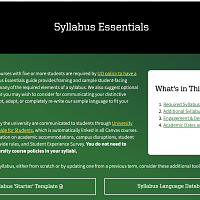
►  Syllabus Essentials
►  Canvas Course Templates

And
log into Canvas with your DuckID to view:

  • Course Welcome Module​​​​​​
  • Report Absences Here Module
  • Ducks Have Integrity Module

Syllabus Essentials (webpage & Word document)

This  Syllabus Essentials Guide provides framing and student-facing policy language for all required syllabus elements as well as other sections that you may wish to consider in crafting and communicating your distinctive course policies. The webpage for this resource also features a downloadable and accessible Word document version.

Visit the Syllabus Essentials Guide


Canvas Course Templates (New!)

Canvas course templates are designed to save you time, ensure consistency, and incorporate best practices in instructional design and accessibility. Whether you’re teaching online, hybrid, or in-person, UO Online's Canvas course templates offer a flexible and structured approach to course design..

Read about and use the Templates


Course Welcome Module (Canvas)

This customizable module orients students to the organization and content of the course. It supports clearer course navigation—a need many students identified last year. It also features opportunities for you to introduce yourself to students, for students to introduce themselves to one another, and for students to easily find both academic and non-academic supports on campus.

Explore the Welcome Module


Report Absences Here (Canvas Module)

This module directs student communications about absences to a single place in Canvas. Weekly absence surveys (a) link to key course and UO policy, (b) ask students to identify both the week's absence and total absences (to encourage their awareness of where they fall in the policy), (c) include weekly highlighted "UO dates to know," featuring supportive student resources/events, as well as any relevant academic deadlines for things like withdrawing from or adding a class, and (d) ask students to answer several questions about how they plan to keep up with the course, to activate their agency in planning and decision-making.

The surveys are designed not to require responses from faculty; they direct students who wish to receive support in the course—support unrelated to the absence and makeup policy—to email the instructor.

Find the Report Absences Here Module


Thumbnail of Canvas module titled "Ducks Have Integrity" with green background, yellow hand holding leaf

Academic Integrity (Canvas Module)

This customizable module engages students with questions around what academic integrity is and why it matters—both to UO, and to them. Students who entered UO in the last two years will have taken a detailed Academic Integrity module as part of IntroDUCKtion (a module made by the same collaborators who created this one). Adding "Academic Integrity" to your course and customizing it for your context can help strengthen and refresh that initial guidance for students.

This module has been updated with brief guidance for students around generative AI, the importance of understanding each instructor's policy on whether generative AI has a appropriate role in the work of the class, and information about the risks of using it inappropriately.

Get the Module in Canvas Commons

Fall 2026 Dates & Deadlines

  • September 28: Classes Begin
  • October 3: Last day for students to drop classes without a "W"
  • October 5: Last day for students to add a class via DuckWeb
  • November 11: Veterans Day holiday; classes not in session (Wednesday)
  • November 15: Last day for students to withdraw from a class 
  • November 25 - December 7: End-of-Term Student Experience Survey is open
  • November 26 - November 27: Thanksgiving holiday; classes not in session (Thursday & Friday)
  • December 4: Final Day of Instruction
  • December 4: Last day to change grade options (graded or P/N)
  • December 7 - December 11: Final Exams
  • December 11: Last day for students to request an Incomplete. Students must submit the request by 5 p.m. on the Incomplete Policy page.
  • December 15: Deadline for instructors to submit grades (Tuesday)

For dates and deadlines for the Law School's semester schedule, please visit the Office of the Registrar's website.

Resource Goals

Each term, TEP and UO Online update this page and its component resources, created to support you as you prepare your courses. We hope that reading timely information on any new university policies and practices, browsing ready-to-go resources that you can easily adapt, accessing concise guidance on things like rolling over Canvas courses, and noting key term dates will give you a boost and help you enjoy the start of term as much as we know your students will.

Let us know how else we can support you! As you approach the term, know we are available to connect with you on anything related to teaching and learning. Whether you have a brief, targeted question or are looking for co-thinking, how-tos, or feedback, we're here for you. Connect with us using our simple contact form.

All our best as you begin your term!