
REGS Teaching Showcase
Faculty in the Reducing Equity Gaps in STEM (REGS) group made changes to their courses aligned with our menu of equity-minded practices. These changes were adjustments to existing structure and materials without overhauling an entire course. This showcase features a few actions taken by participating faculty that are easy to implement, but high impact, which faculty shared with other REGS members or implemented newly to their course. Our hope is that faculty in the participants' home departments, plus faculty more broadly at UO, will take up some of these practices and spread the work done by the group.
- Show representational diversity in your discipline with teaching team photos in the syllabus
- Support a growth mindset in your course by reducing exam stakes with exam scoring policies
- Deepen student learning with active learning using guided inquiry activities
- Improve course and materials navigability with streamlined Canvas pages
- Solidify your efforts by ensuring that your TAs understand inclusive teaching practices with a teaching team Canvas site
Teaching Team Photos in the Syllabus
The challenge: Some faculty find it difficult to reveal representational diversity in their discipline organically, rather than adding another layer of content. This can be particularly challenging in introductory courses, where content may be decades or centuries old — originating from a time when the academy was not diverse. Introducing professionals in the field by discussing who discovered a principle may not reflect the diversity of professionals today.
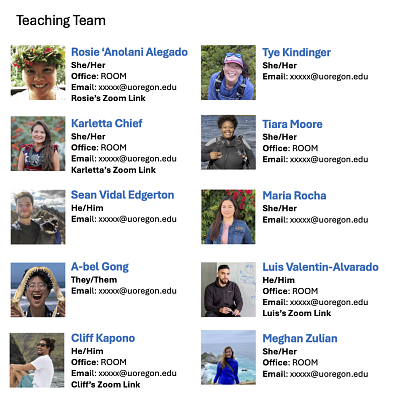
One participant from our first REGS cohort approaches this by including a teaching team page with pictures of each member in their syllabus. This reveals who can be a professional in their field, enacting the REGS menu item "choose course materials with representational diversity in authors, experts, and contexts and highlight disciplinary experts in your field who hold underrepresented identities." This page also helps students by easily identifying members of the teaching team and having this specific place to look when needing to contact one.
A sample page modeled on the instructor's work is shown to the right*. You can download a Word Doc of this sample teaching teams page. Add it to your syllabus doc and just update it with your team's information and pictures!
*Scientists in the sample page are from the Scientist Spotlight Initiative. Links to their spotlight pages and image source information is given in the sample Word Doc.
Exam Scoring Policies
The challenge: Holding a growth mindset about students' abilities is a powerful way to support students, but just telling your students that you believe in them only goes so far. Instead, you want to design policies that formally build growth mindset into your course.
A number of participants in our first REGS cohort formalized growth mindset by adopting exam policies that allowed students to replace low exam scores with scores on later exams. These policies reduce individual exam stakes and emphasize that early failure does not prevent success later in the term. These are implementations of the REGS menu item "align your assessments and grading structure to growth mindset approach: decrease use of high-stakes exams..."
One example of this policy is given to the right. In addition to exam replacements, the weight of exams grows as the term progresses, reflecting that student knowledge is growing through the term. Note that the content covered in each exam is cumulative. Material in midterm 1 (sections 1.1.-2.2) also appears in midterm 2 (sections 1.1-3.4). By including midterm 1 material in midterm 2, this ensures that students are still being evaluated in material from midterm 1 even if its score gets replaced.
In future iterations of the course, this instructor plans to make further steps to support learning by creating a graded assignment that requires reworking test problems, so that students must look at their exams and hopefully learn from them.
Exams (80% of final grade):
All exams are cumulative. The first midterm is worth 15% of your overall grade, the second is worth 30%, and the final is worth 35%. Any exam score that is higher than a previous exam score will replace that lower score. So, for example, if you do poorly on exam 1, your exam 2 grade or your final exam grade will replace your exam 1 grade. No exams makeups are allowed.
The exams will tentatively cover the material below.
- Midterm Exam 1 (1.1-2.2)
- Midterm Exam 2 (1.1-3.4)
- Final Exam (1.1-4.4)
Another method to implement growth mindset in exam scoring is by having multiple methods to weight exam grades. One such method is shown below. Again, we see exam weights growing throughout the term (option A). Option B drops exam 1 and distributes its scoring to both exam 2 and the final. In option C, exam 2 is dropped and its weight moves to the final. In option D, only the final exam is counted towards the exam portion of the student grade.
| Lecture Exam Scoring Options | Option A | Option B | Option C | Option D |
|---|---|---|---|---|
| Exam 1 | 10% | 0% | 10% | 0% |
| Exam 2 | 15% | 15% | 0% | 0% |
| Final Exam | 20% | 30% | 35% | 45% |
| Total | 45% | 45% | 45% | 45% |
At the end of the term, final grades are calculated by the instructor using all four options. A student's final grade is whichever option results in the highest score. Additionally, exams 1 and 2 have multiple parts - one in-class individual part for 80% of the exam grade, and a second take-home group part for 20% of the exam grade. This flexibility in exam format also helps lower stakes on exams.
Despite differences in structure, both of these examples emphasize student growth through the term and allow for students to err on midterms and still have opportunities to succeed in the course.
Guided Inquiry Activities
The challenge: It can be difficult to help students learn content knowledge without just lecturing at them, particularly in large lecture courses. One instructor in our first REGS cohort approached this problem by building POGIL (Process-Oriented Guided Inquiry Learning) activities into their course.
POGIL aligns with many of our “Lead Classes that Invite All Students In” REGS menu items by having students in small groups construct their own knowledge through guided inquiry, replacing lecture with structured group work that scaffolds difficult & foundational physiology concepts through sequenced prompts. As students work regularly in small groups, build community through collaborative problem solving and social connection, even within a 300+ large lecture setting.
A key formula of POGIL is to have students "explore" a model, then "invent a key concept", and then "apply" it. Shown below are a few slides from one POGIL lesson on pressure and valve dynamics in the heart. Click on each slide title to view a larger version of the image.
This slide gives students directions about what to do to prepare for POGIL activities during that class - form groups and pick up their POGIL handout.
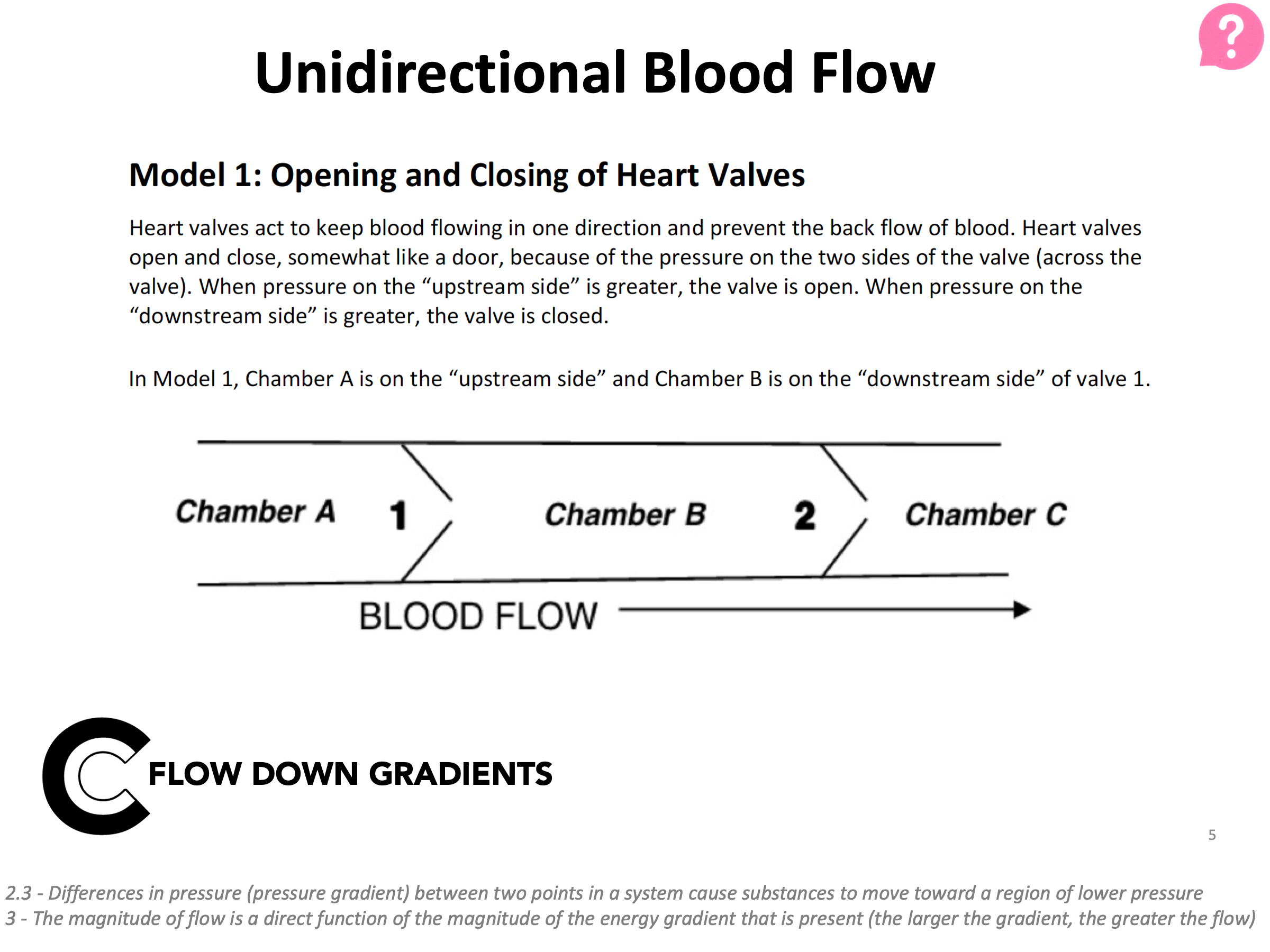
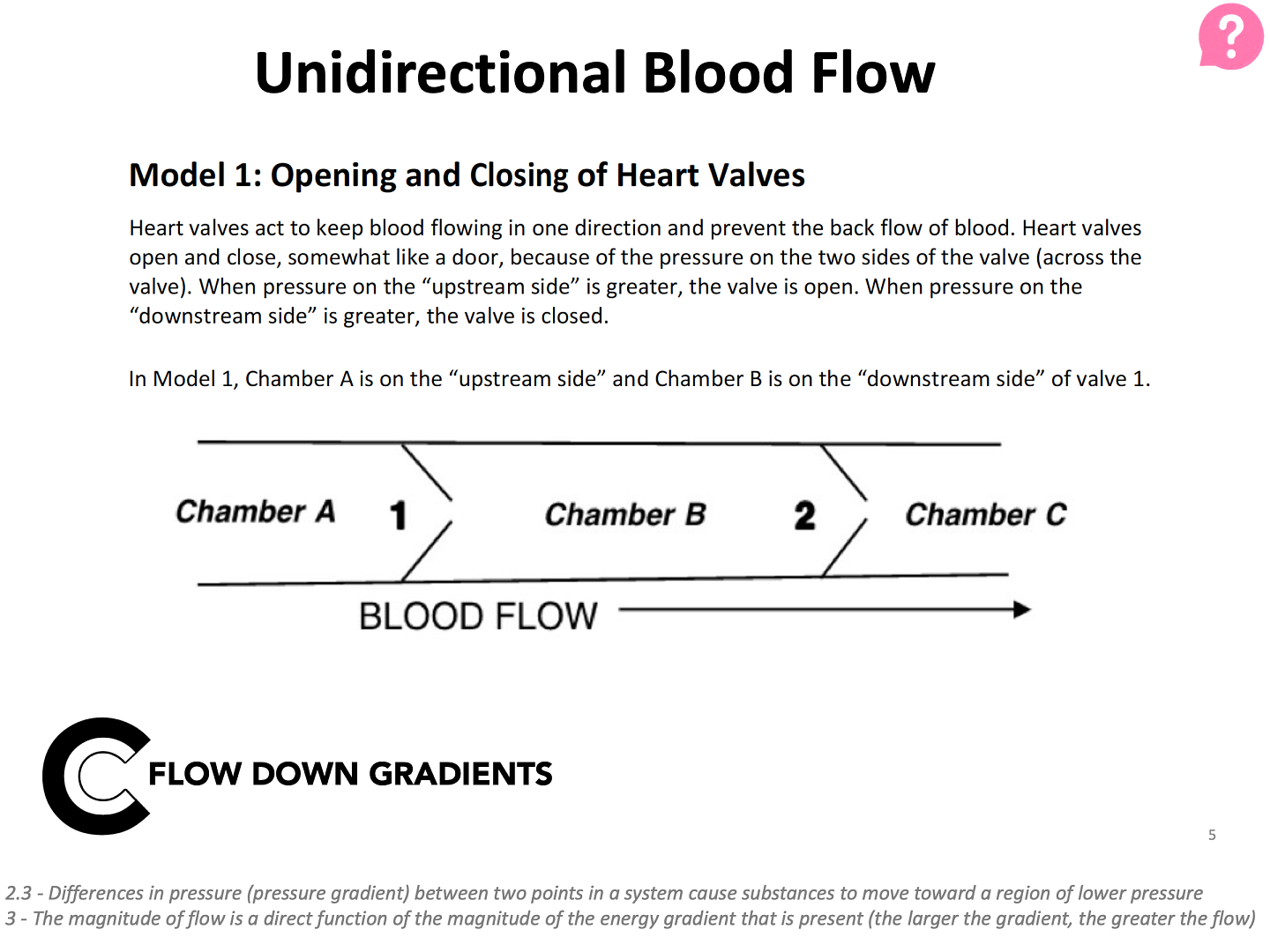
This slide describes one model for blood flow in the left side of the heart. Students explore this model in a worksheet with scaffolded questions to guide them toward understanding the concept.
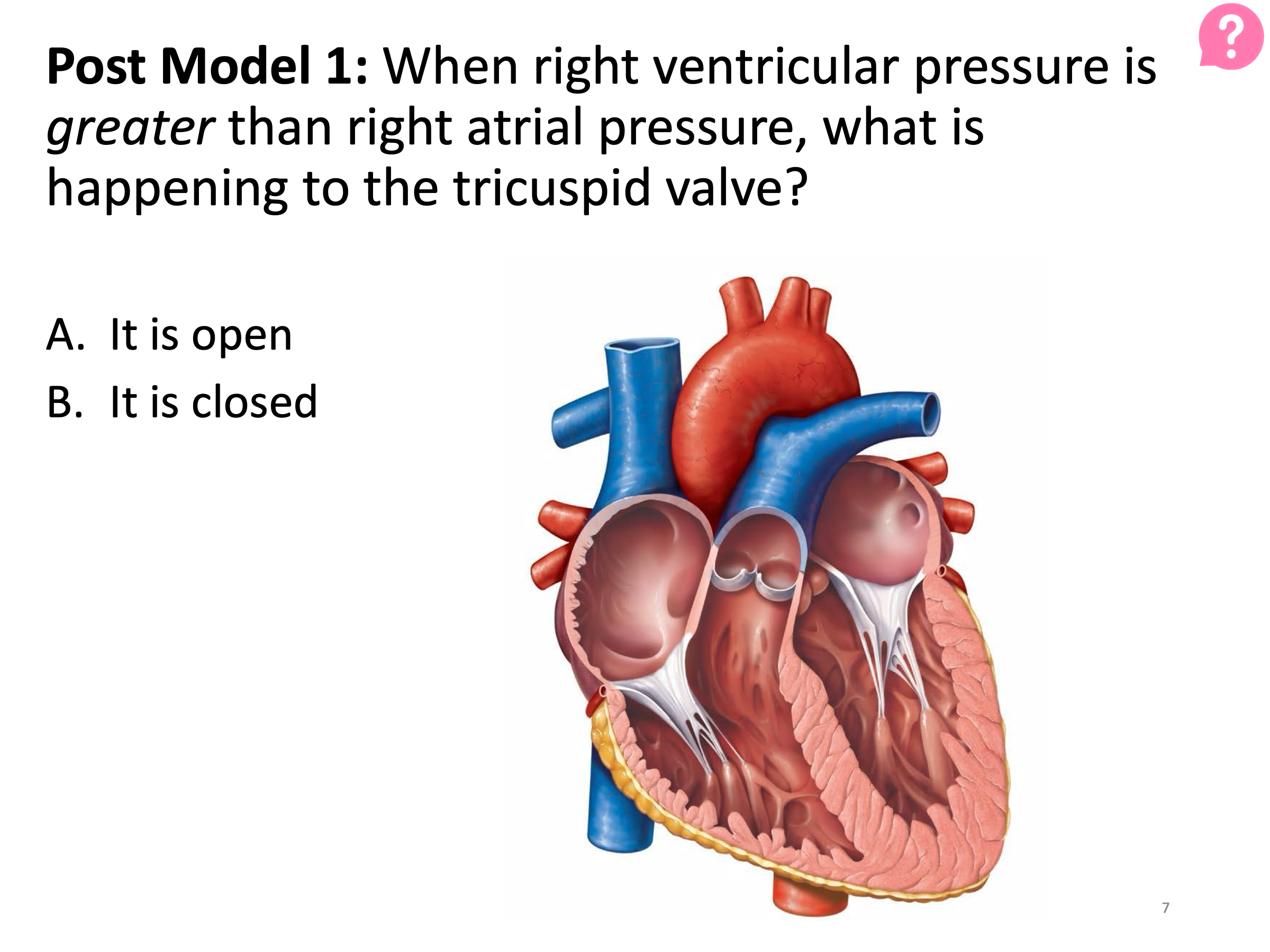
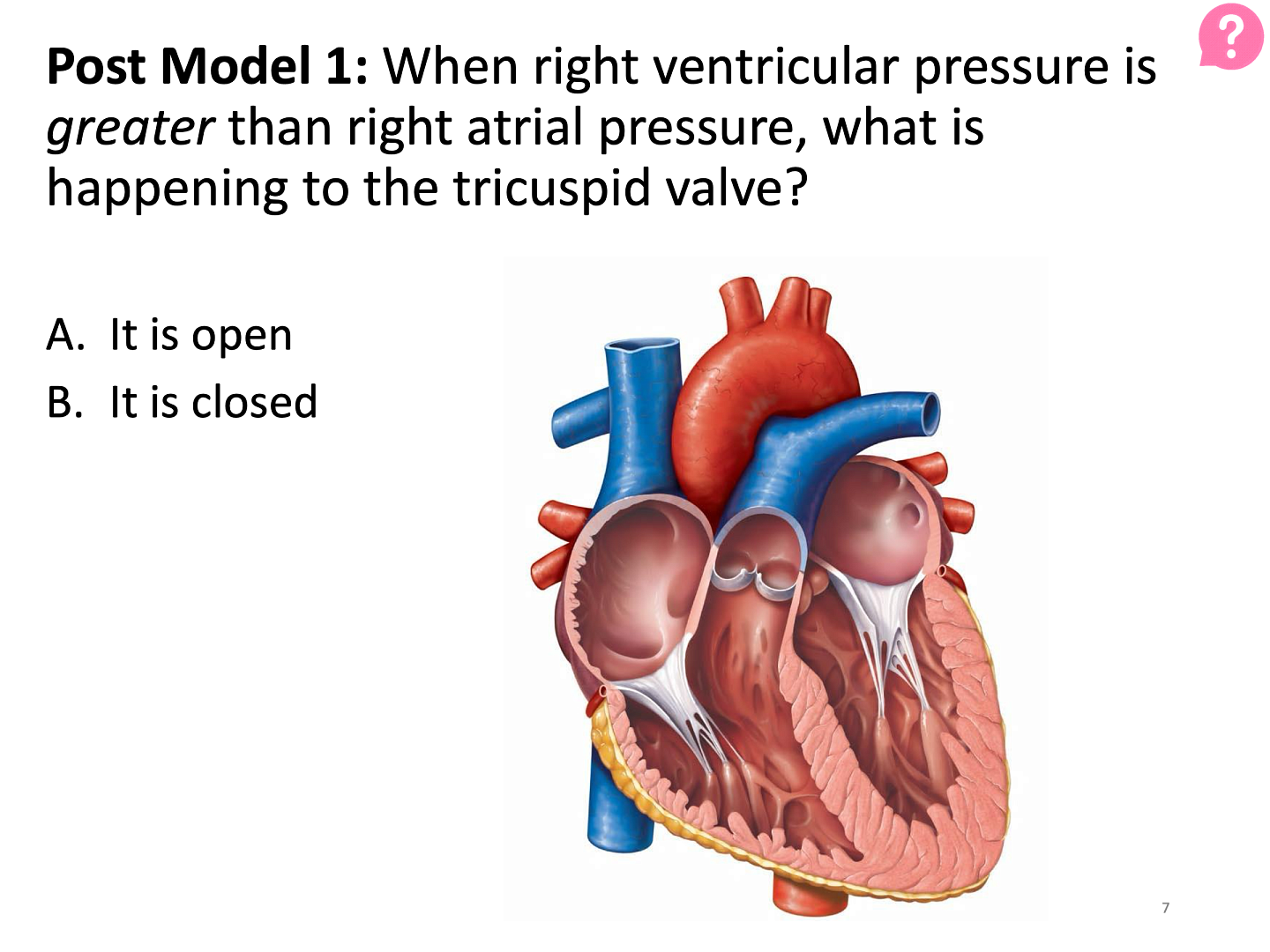
After their guided worksheet, students apply the concept they’ve developed to a new context in wrap up questions. Here, they apply their new ideas to the right side of the heart.
You can download more sample slides for this POGIL activity (pptx) or find out more at the POGIL Project website.
Streamlined Canvas Sites
The challenge: Throughout a term, between assignments, resources, links, Canvas pages, readings, quizzes, slides, discussion boards, and more - you may have dozens of items in Canvas for students to interact with. When students need to find something in Canvas, it can be difficult without clear organization.
Many instructors in our first REGS cohort updated their Canvas pages to improve navigability, implementing the REGS menu item "design your Canvas site to be easily and consistently navigable." Some of the helpful navigation features from two sample updated pages are below. Click on each page title to view a larger version of the image. Many of these features are available in our Canvas Course Templates (although, the samples below chose to not use our templates).
A physics instructor overhauled their entire Canvas site to improve navigability using modules.
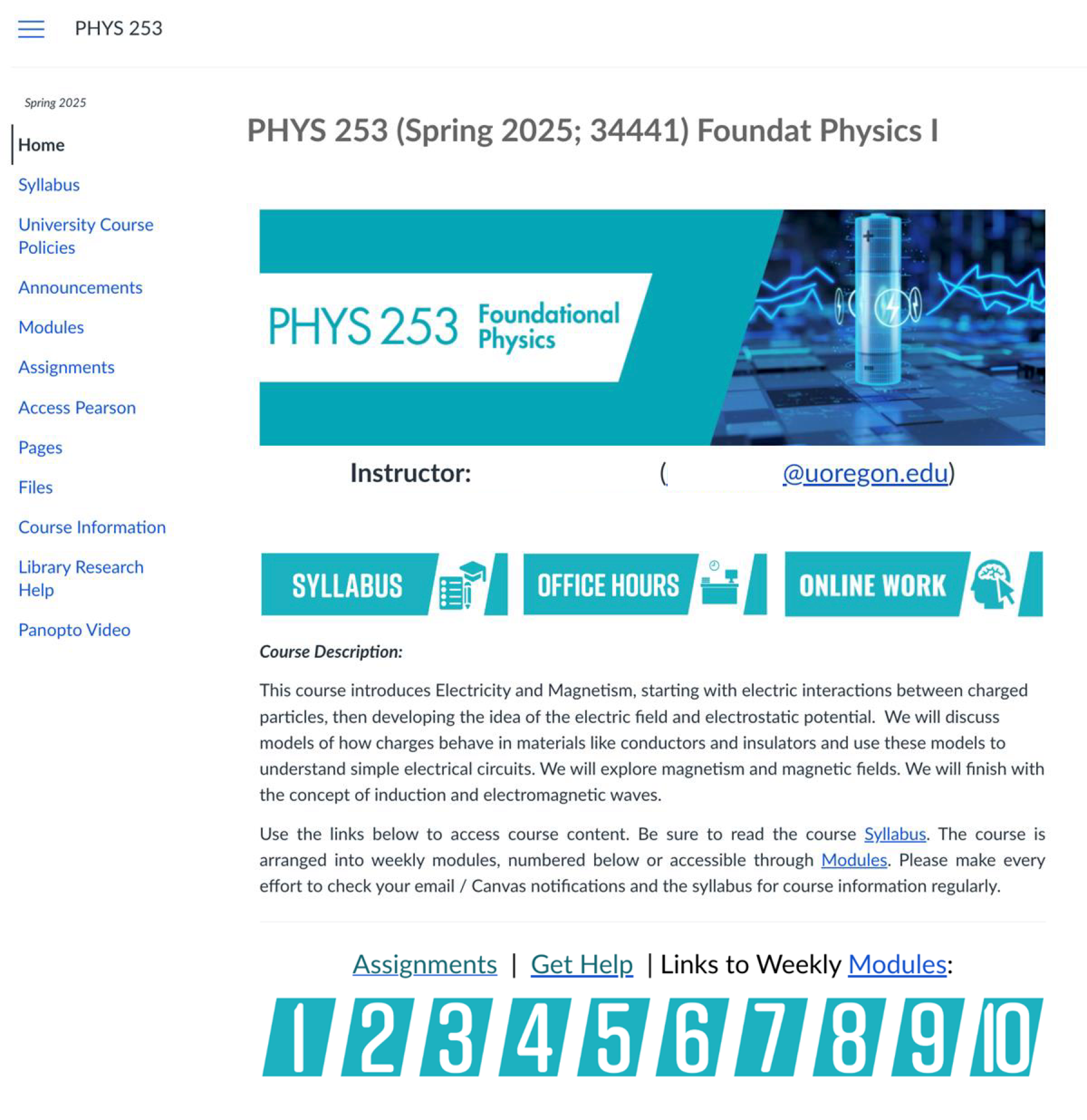
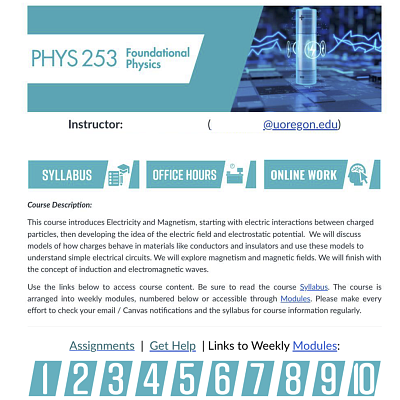
This focused page shows students quick links to key information (syllabus, office hours, online homework), a course description, and gives links to weekly modules.
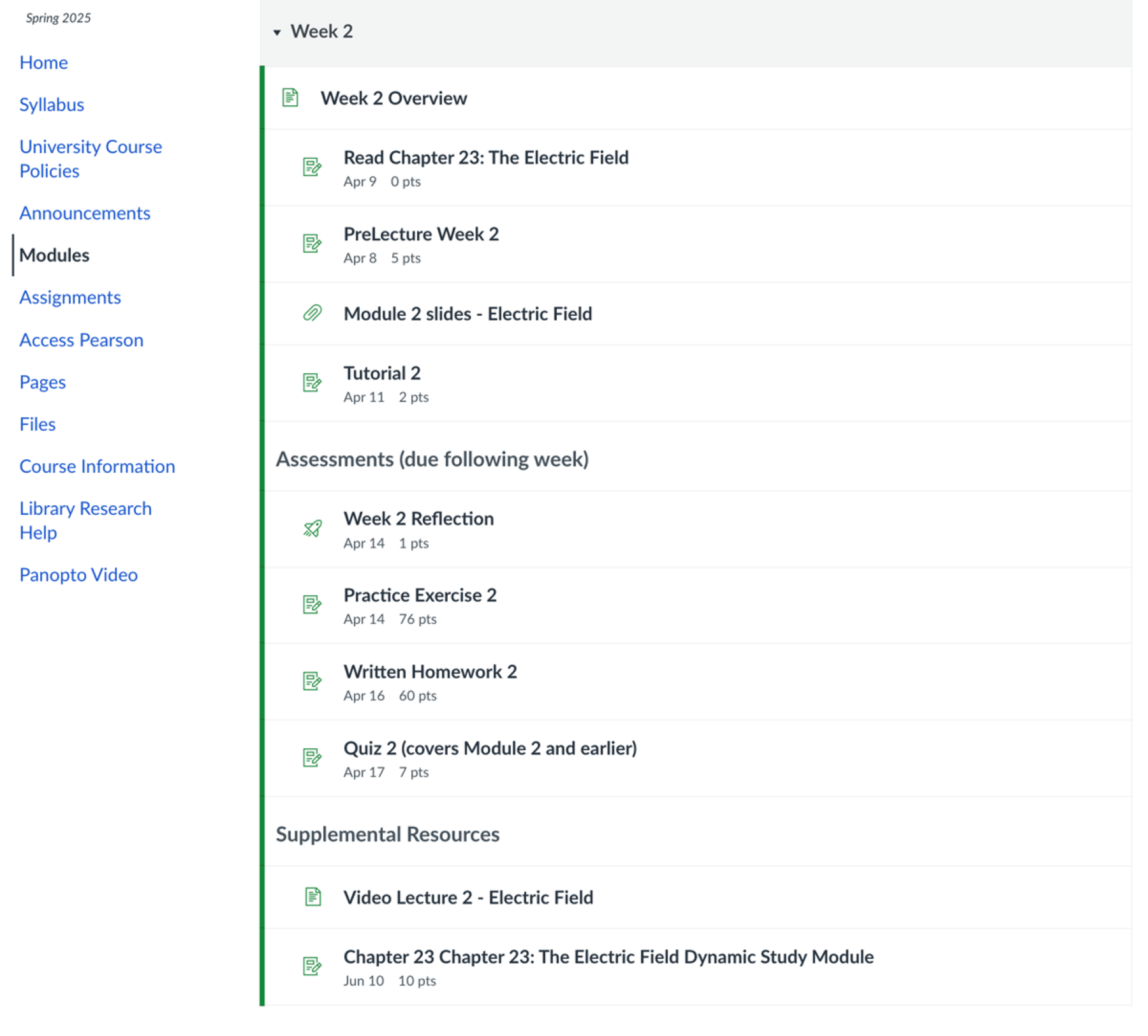
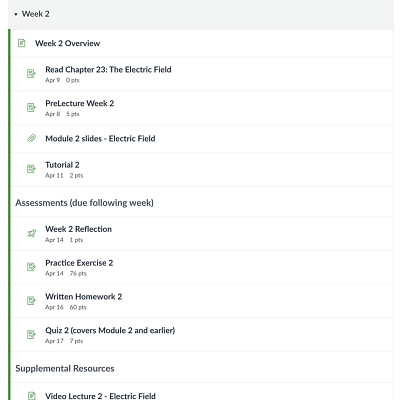
Each week's module is arranged with content information, assignments, and supplemental materials. Notice the indentation to signal grouping of material within the module. The first item in each module is an weekly overview page.
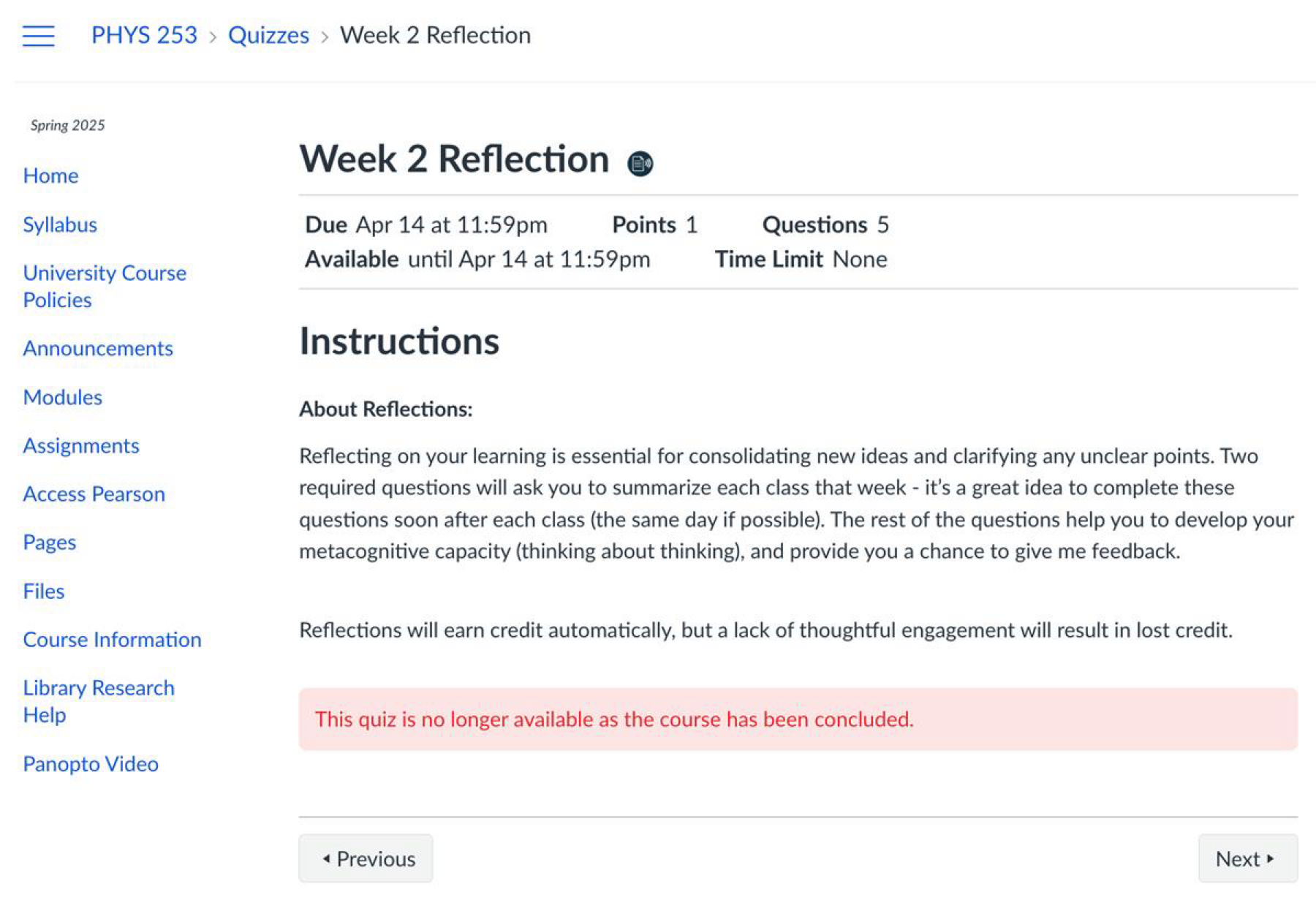
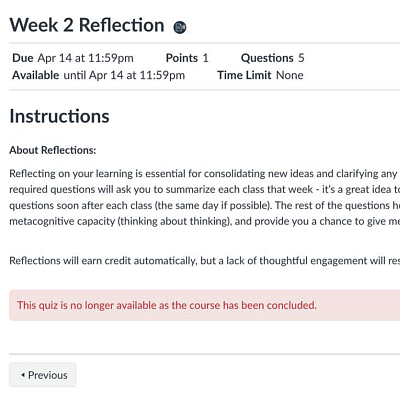
This instructor uses these reflections to spur metacognitive thinking in their students (another REGS menu item!). At the start of each week, they open class with insights by students from the previous week's reflections.
A chemistry instructor used a page for each week and for each class, instead of a weekly module structure. Because the class meets 5 days a week, this structure condensed information and focused it for students rather than having a very lengthy module page. To provide one direct route for Canvas site navigation, the instructor hid the modules pages from students entirely.
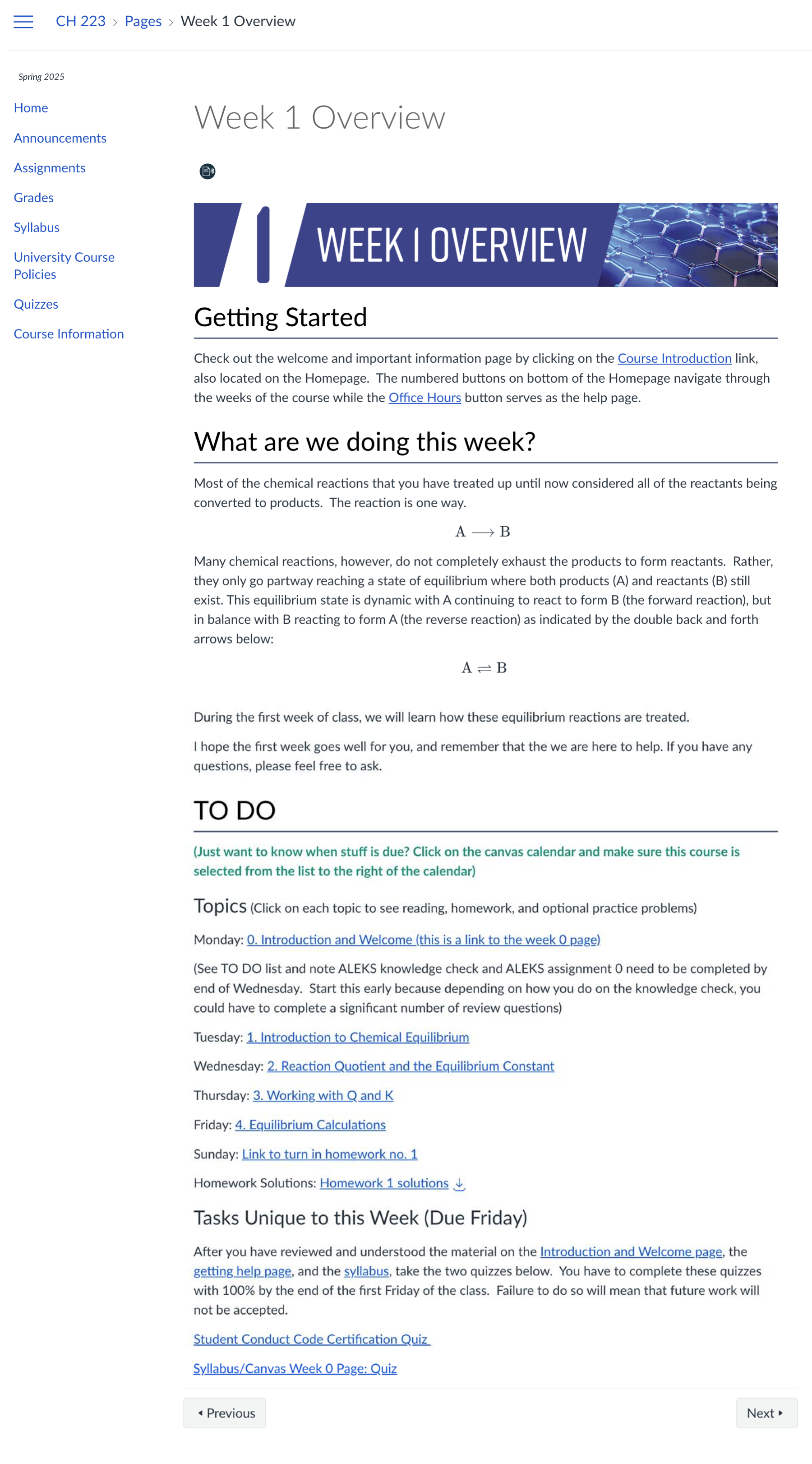
For each week, this page has an introduction to content, links to daily pages, and assignments for the week.
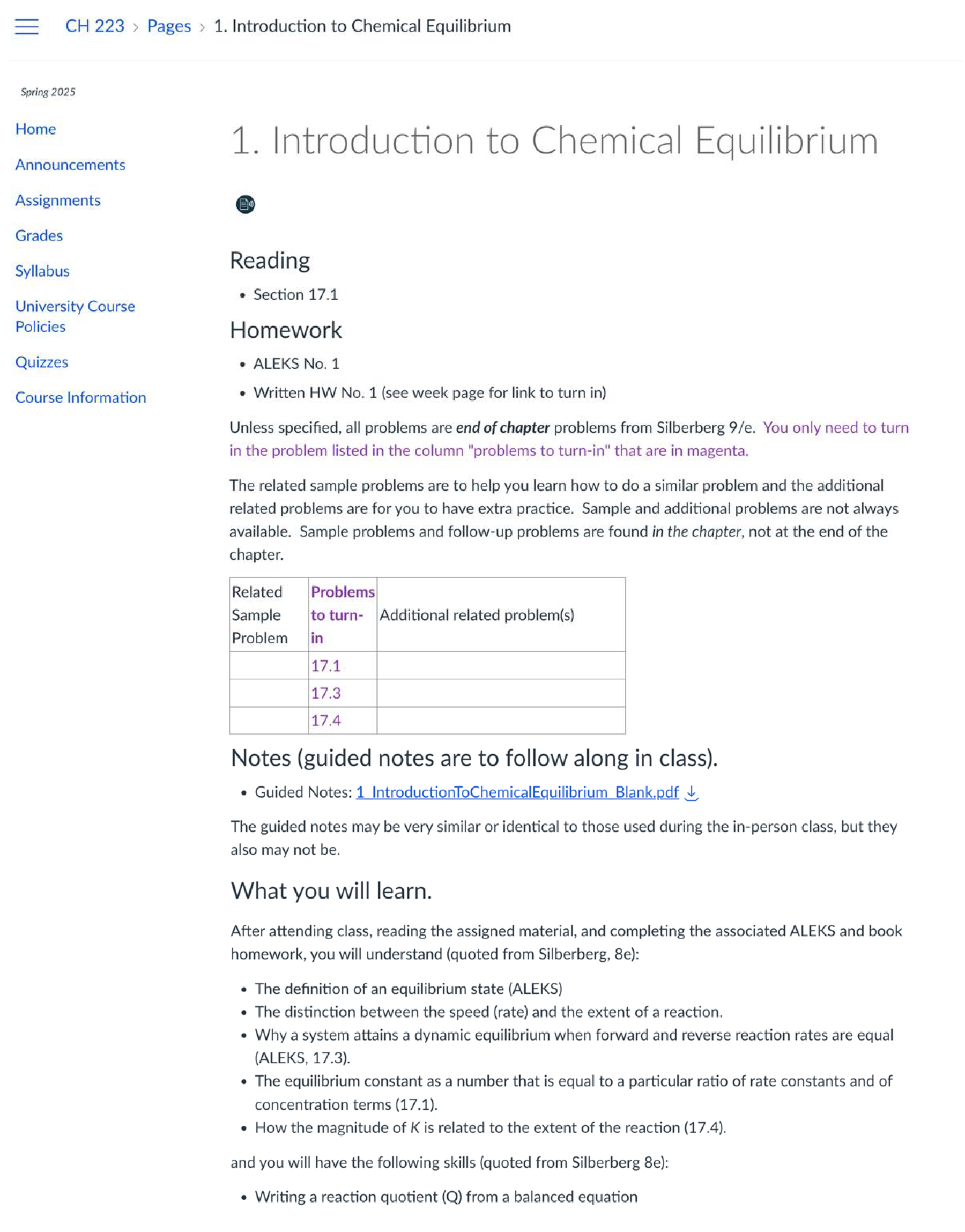
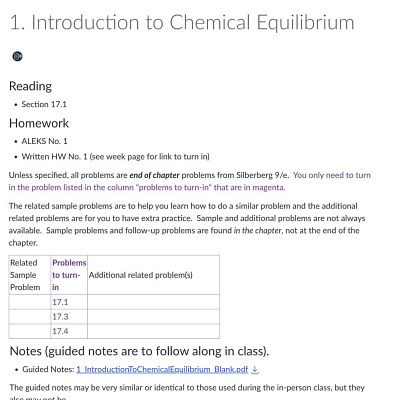
These pages for each class session tell the reading, homework, partial notes, and learning objectives for each class.
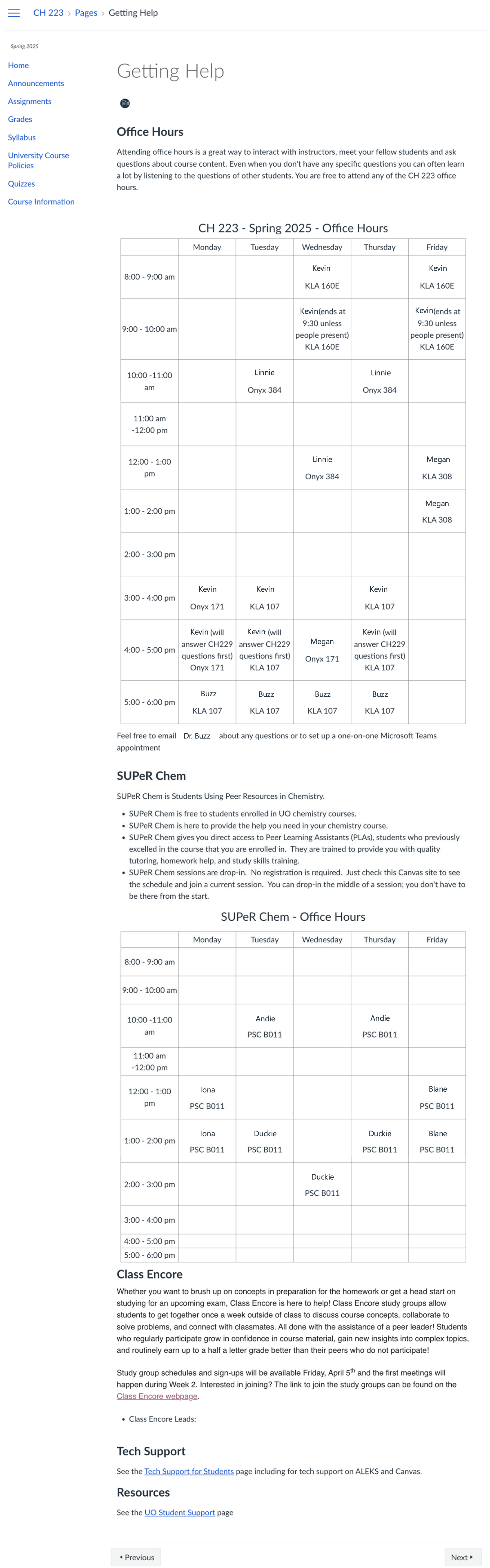
This instructor shows a grid of office hours for their whole teaching team, details about department tutoring support, information about TAEC support, plus other university support for students.
Both of these examples carefully organized information for students in a way that was easy to navigate for their course's specific contexts. You may also note from the full images that both limited the number of items that appeared in the course navigation menu to help students find information easily without having to filter through many unneeded or unused menu items.
Teaching Team Canvas Site
The challenge: After carefully setting course policies and pedagogy to support all students, you want to ensure that your whole team is on the same page. Without all team members, including both GEs and undergrad assistants, understanding your strategies, there's a risk students may get conflicting messages or, even worse, a team member might accidentally undermine your efforts.
Some participants in our first REGS cohort approached solving this problem by focusing on expanding pedagogical knowledge to the rest of their team. One approach they took was to develop a list of teaching tidbits - pedagogical methods they can introduce quickly to team members during team meetings.
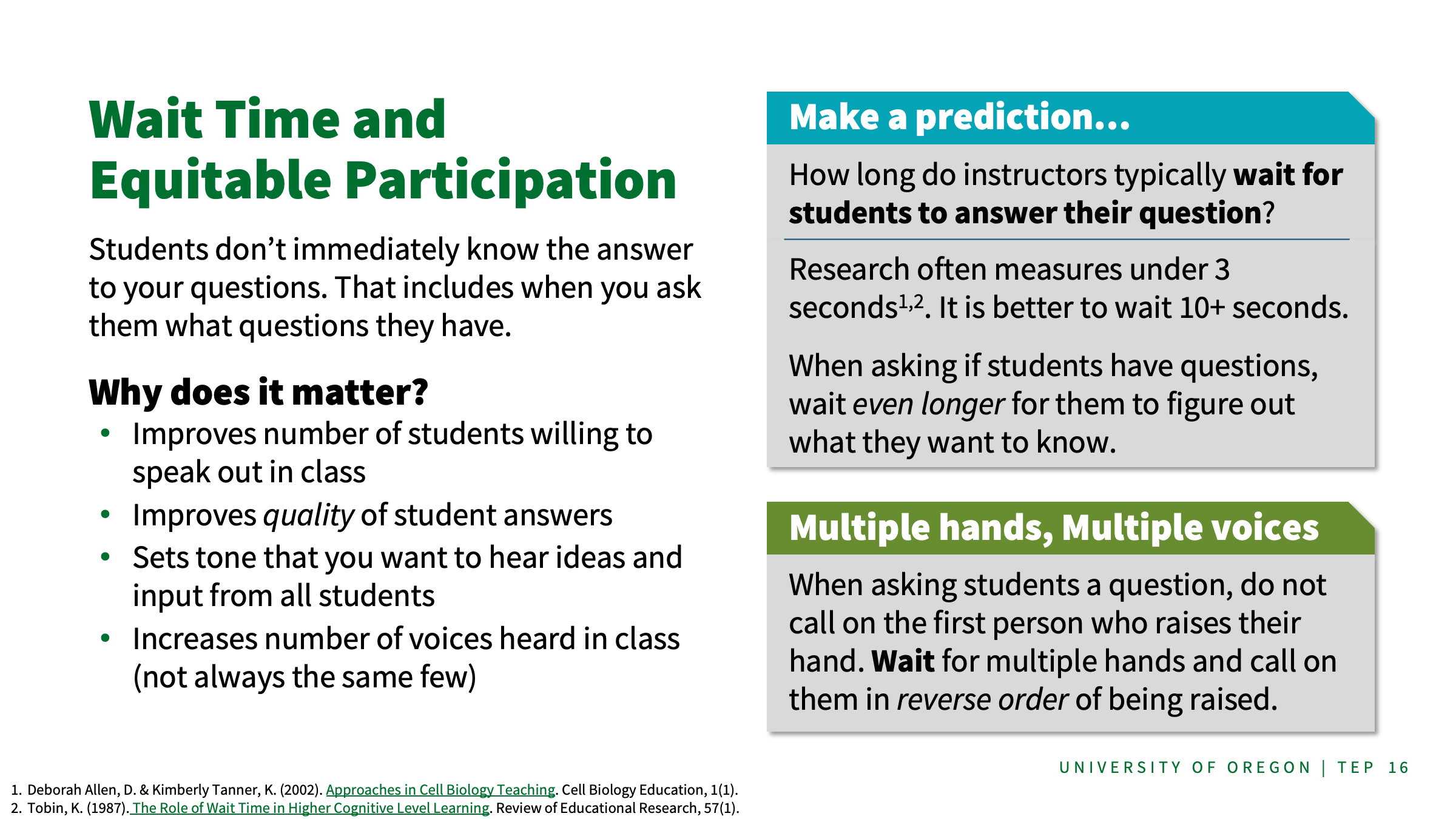
These were developed into our Teaching Team Tidbit slides, a sample of which is shown to the right (view a larger version of the sample tidbit slide). You can use these slides by picking and choosing topics that are useful to you from the deck. Sharing and discussing them with your team gets everyone on the same page about choices you've made for your course.
They also developed a Community Canvas site to store team training resources. By using Community Canvas, they can add their team members as students so they can submit surveys, reflections, and share their experiences in activities built into the page. Some of these items are described below.
- An early term survey to help with coordinating lab assignments for team members, availability to attend lecture and team meetings, and FERPA information (primarily for undergrad assistants).
- An exit survey with questions about workload management, advice for the team leader, insight on strengths of other team members, interest in working on the team in the future (for undergrad assistants).
- Curated list of teaching resources available through TEP
- A Hypothesis shell for group annotation of lab instructions
- Information for GEs about finding and implementing AEC accommodations
- Discussion boards (with resources) for how to elicit student thinking, equitable teaching practices, and archiving TA experiences when running labs.